How to Debug Routing with the Inspector
The Inspector is a diagnostic tool that shows you exactly why a deal, lead, or person was or wasn’t routed. Paste in a Pipedrive URL and see which rules matched, which failed, and exactly which conditions caused the mismatch.
How to Use the Inspector
1) Copy the Entity URL from Pipedrive
Open the deal, lead, or person in Pipedrive and copy the URL from your browser’s address bar.
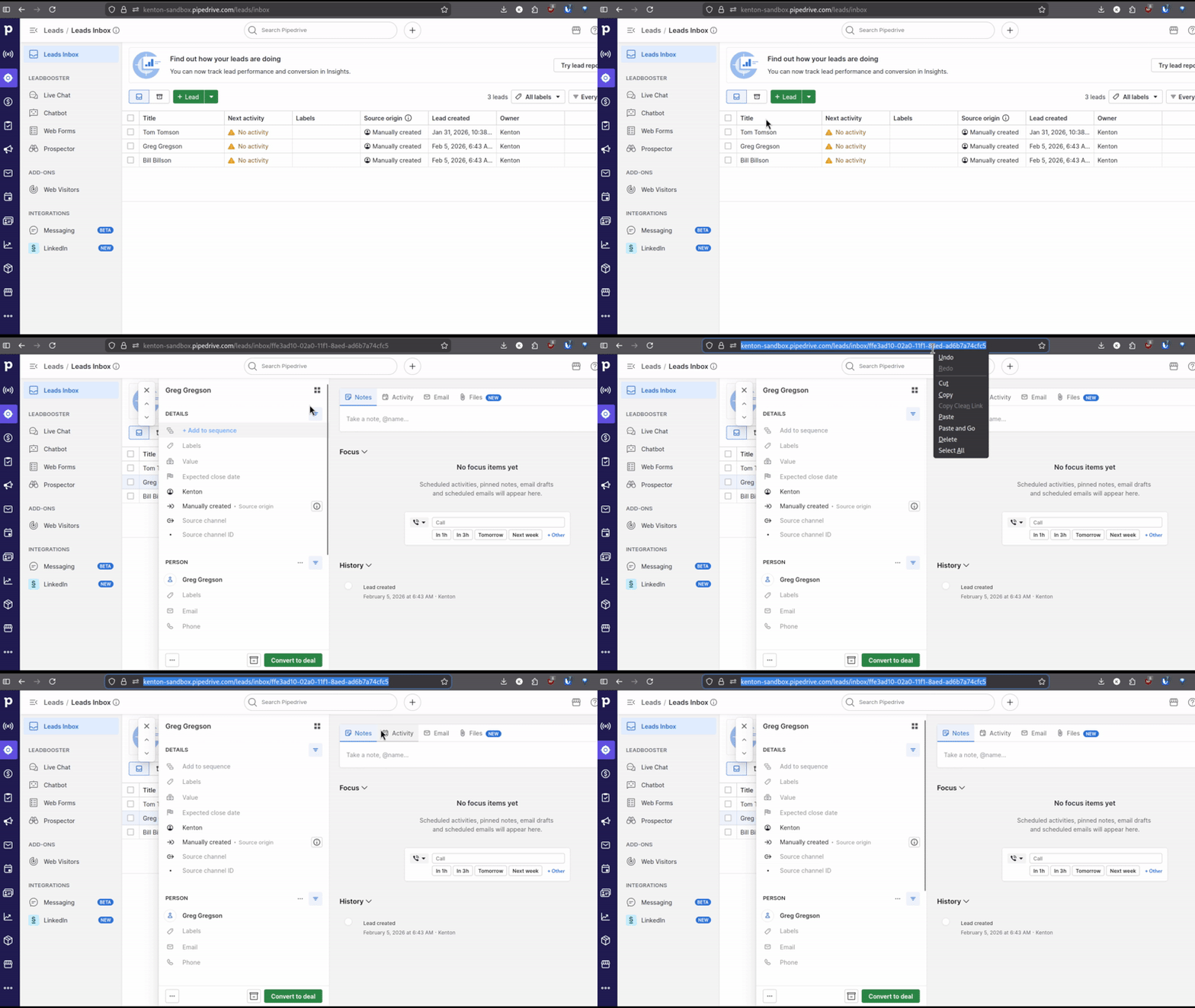
The URL will look like one of these:
yourcompany.pipedrive.com/deal/123yourcompany.pipedrive.com/person/456yourcompany.pipedrive.com/leads/inbox/abc123...
2) Open the Inspector
Go to Inspector in RouterJet and paste the URL.
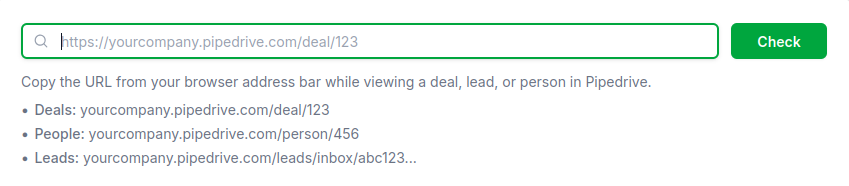
3) Review the Results
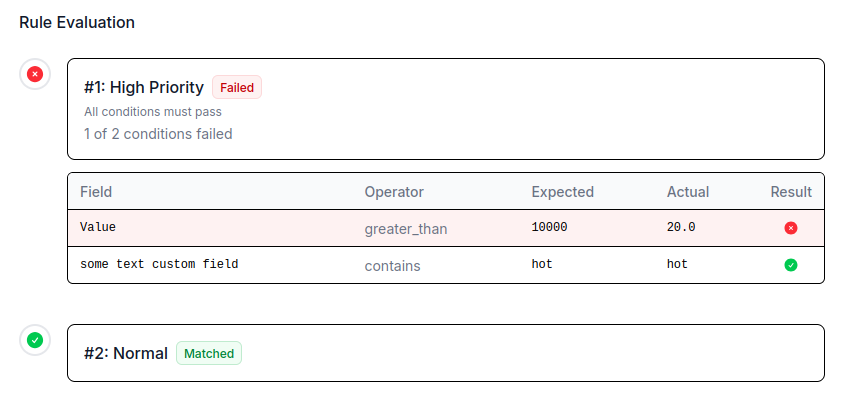
Click “Check” and the Inspector evaluates every rule against the entity. Each rule gets a status:
- Matched (green) - All conditions passed
- Failed (red) - One or more conditions didn’t match
- Skipped (gray) - Rule wasn’t evaluated (wrong entity type, disabled, wrong stage, etc.)
For failed rules, you see a condition breakdown showing each field’s expected value vs. actual value:
Testing a Single Rule
You can also test one rule at a time. From the Rules page, click the “Test” button on any rule to expand an inline testing panel.
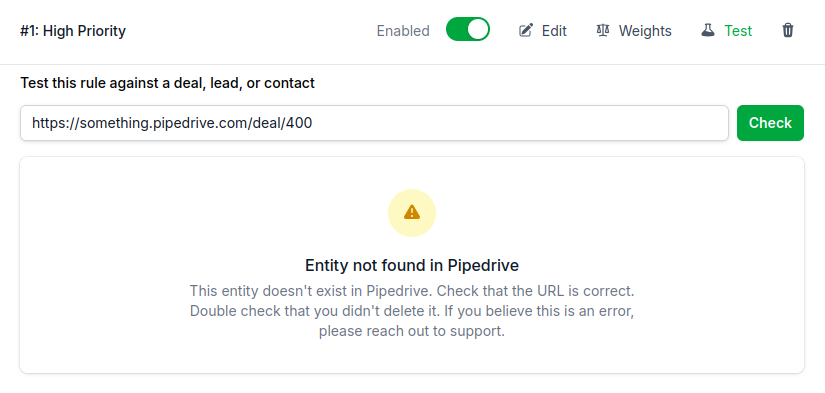
Common Error Messages
Entity not found in Pipedrive - Double-check the URL is correct and the entity still exists.
Entity not received by RouterJet - The entity exists in Pipedrive but RouterJet hasn’t seen it. This usually means it was created before you connected RouterJet, or there’s a webhook issue. Contact hello@routerjet.com if you need help.
Deal is not open - RouterJet only routes open deals. Won, lost, or deleted deals won’t be routed.

Start your free trial
No credit card required.
Assign leads automatically and free up your time.