Telegram Notifications for Pipedrive Leads
Getting instant notifications when new leads arrive is critical for fast response times. RouterJet now offers Telegram notifications—completely free and unlimited on all plans. Here’s how to set them up.
Why Telegram?
Telegram notifications are:
- Free — no per-message fees, ever
- Unlimited — send as many notifications as you need
- Available on all plans — from Starter to Business
- Instant — get notified the moment a lead arrives
Setting Up Telegram Notifications
Here’s how to get Telegram alerts for your RouterJet account:
1) Register your Telegram account
Go to your agent profile in RouterJet. You have three options to register:
- Register — click to register the current device’s Telegram account directly
- Send Invitation Email — sends the registration link to the email associated with the agent’s Pipedrive account
- Copy Link — copy the registration link to share however you’d like (e.g., text it to the agent with an explanation)
This will open Telegram and send a “/start” message to the RouterJet Bot. After this you’ll start receiving notifications.
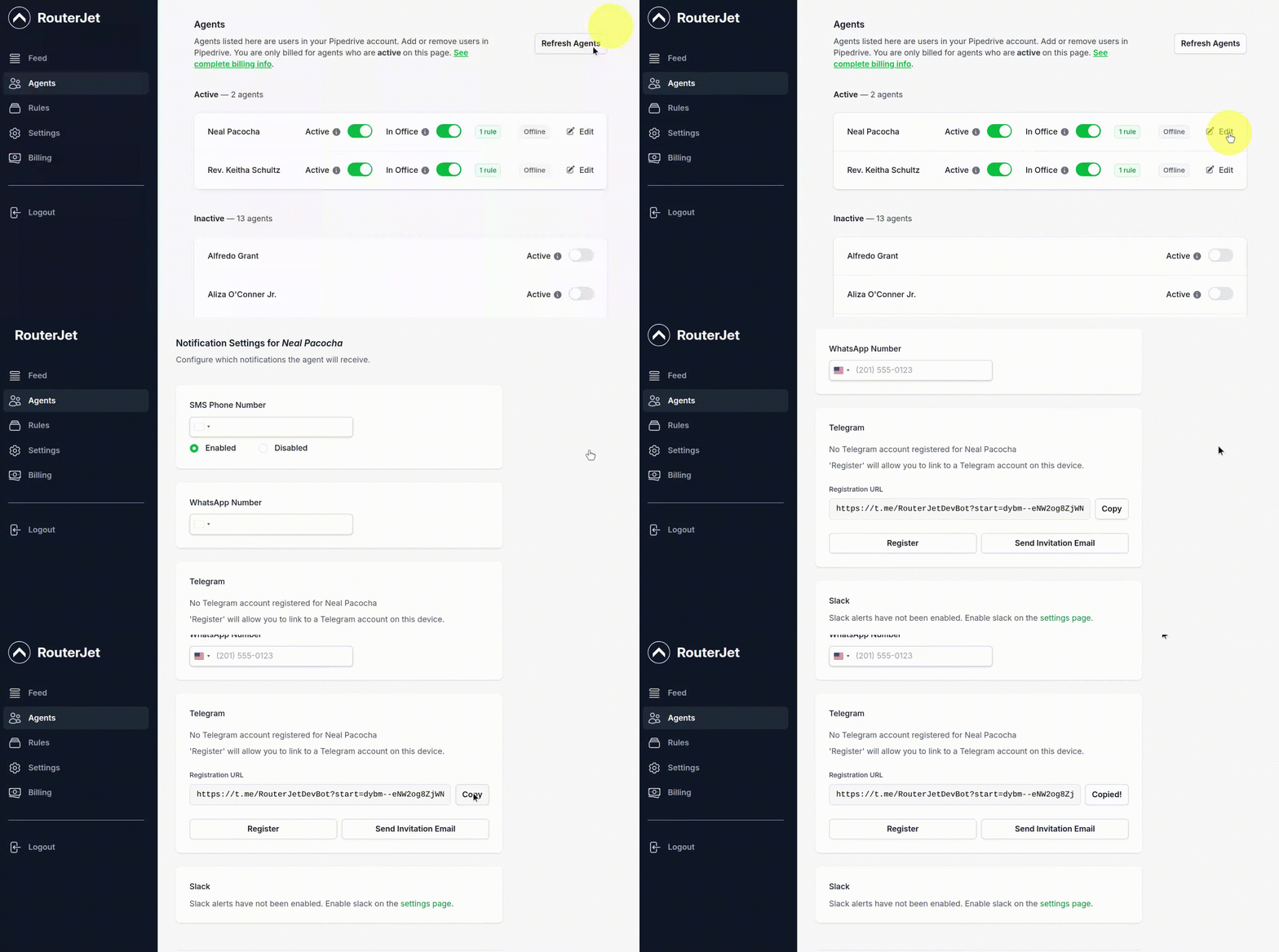
Once registered, you’ll see a confirmation showing “Registered to @YourUsername” along with a Disconnect button. This confirms Telegram is connected and ready to receive notifications.

2) Enable Telegram notifications in your rules
Once registered, go to your routing rules and enable Telegram notifications.
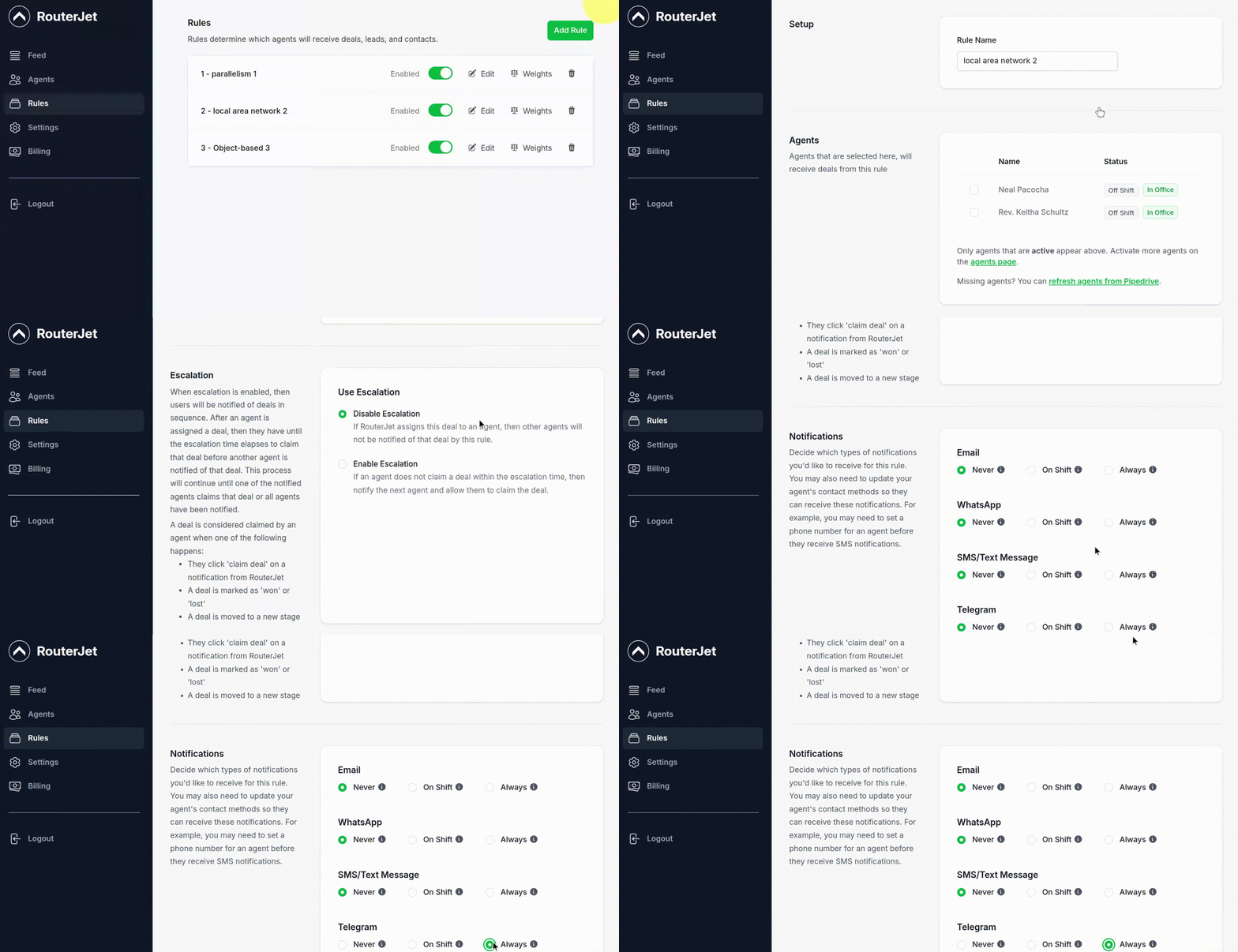
You can configure when alerts are sent:
- Never — no Telegram alerts will be sent
- On-shift — Telegram alerts will be sent only when the agent is on shift
- Always — Telegram alerts will be sent regardless of the agent’s shift
Migrating from WhatsApp?
If you’re currently using WhatsApp notifications and want to switch to Telegram, here’s what you need to know:
- Your existing rules won’t change — only the notification channel needs updating
- Set up Telegram first — register all agents who need notifications before updating rules
- Update rules when ready — switch from WhatsApp to Telegram in each rule’s notification settings
Need help migrating? Reply to any RouterJet email and we’ll assist you personally.
Please shoot us an email (hello@routerjet.com) if you have feedback (good or bad).
Until next time…thanks from the RouterJet team 🙏🙏🙏
You might also like:

Start your free trial
No credit card required.
Assign leads automatically and free up your time.