Choose Which Pipedrive Actions Claim a Deal
RouterJet now lets you choose whether moving a deal to a different Pipedrive stage, or marking it won or lost, counts as claiming that deal.
Until today you didn’t get a choice. Both actions claimed the deal automatically, and for some teams that came as a surprise. Here’s why it worked that way, and how to set it up for your team.
Why It Worked This Way
When we built claiming, the teams using RouterJet all worked the same way. A rep gets a deal offer, jumps into Pipedrive, and starts working it. Moves it to “Contacted,” fires off an email. Asking that rep to go back and click a claim link on top of all that felt like busywork. They’d already told us they had the deal, just by working it.
So we made stage moves and won/lost updates claim the deal automatically. For those teams it was the right call, and it still is.
It turned out not to be universal, though. On teams where managers tidy pipelines, admins fix data entry, or automations move stages, those same actions don’t mean anyone is taking ownership of a lead. They mean housekeeping. And when housekeeping silently claims a deal, escalation stops, nobody calls the prospect, and the attribution report credits whoever happened to drag the card.
We surprised some teams with that behavior, and we’ve changed our minds about the right default. Implicit claiming is a convenience, but only if you know it’s there.
The Principle of Least Surprise
There’s a design value in the software world called the principle of least surprise. The Ruby community in particular holds it dear: software should behave the way its user expects, with no hidden side effects.
The sales manager version goes like this: your routing system shouldn’t make an ownership decision you didn’t know it could make. A deal changing hands determines who calls the prospect and who gets credit for the close. Whatever triggers it should be something you chose, not something you found out about later.
What Changed
In Settings → Rule Settings, under Claim a deal when an agent acts on it in Pipedrive, you’ll now find two independent toggles:
- Moving a deal to a different stage claims it
- Marking a deal won or lost claims it
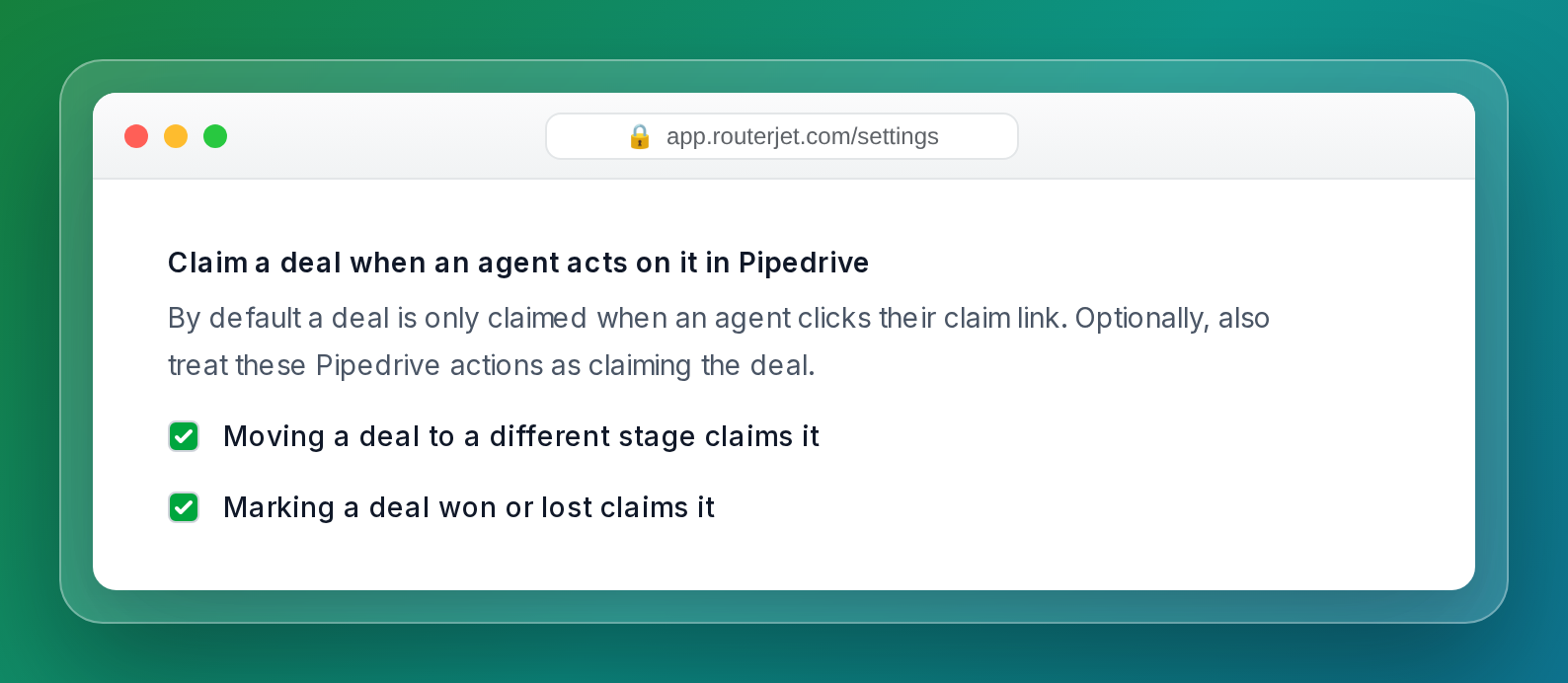
New accounts start with both toggles off. A deal is claimed only when an agent clicks their claim link in the notification (email, SMS, Slack, or WhatsApp). We did that on purpose, because explicit claiming is the least surprising default. Marking a deal won or lost is probably the clearest signal that someone is really working it, and even that stays off until you decide otherwise.
Existing accounts keep both toggles on. Your routing behaves exactly as it always has, unless you change it.
When to Leave Them On
If your reps live inside Pipedrive and a stage move reliably means “I’ve got this,” leave the toggles on. RouterJet recognizes the activity, stops the escalation reminders, and doesn’t re-offer the deal to a teammate while your rep is on the phone with the prospect.
That’s the original design, and it still fits teams where the only people touching deal stages are the reps working them.
When to Turn Them Off
Turn the toggles off if stage changes come from anyone, or anything, other than the rep accepting the deal:
- Managers and admins reorganize pipelines, close out dead opportunities, and fix mistakes. None of that is taking ownership.
- Zapier workflows, sync tools, and Pipedrive’s own automations move stages without a human accepting anything.
- Some teams want every assignment to trace back to a deliberate yes from a specific rep. That only works when the claim link is the only way to claim.
One question settles it: when a deal’s stage changes in Pipedrive, does that always mean the rep who moved it is taking ownership? If yes, leave the toggles on. If not, turn them off.
How This Interacts with Escalation
With Moving a deal to a different stage claims it turned off, escalation keeps re-offering the deal even if its stage changes. The stage can move five times and the rotation keeps going until someone clicks their claim link.
The explicit claim becomes the single source of truth for ownership, and nothing else short-circuits your response SLA.
Getting Started
- Open Settings in RouterJet
- Go to Rule Settings
- Find Claim a deal when an agent acts on it in Pipedrive
- Check or uncheck Moving a deal to a different stage claims it
- Check or uncheck Marking a deal won or lost claims it
- Save
Take five minutes this week to decide what claiming a deal should mean for your team, then set the toggles to match. Either answer works. The point is that now it’s your call.
This kind of control is something Pipedrive’s built-in automatic assignment can’t offer, since it has no concept of claiming at all.
Questions or feedback? Shoot us an email at support@routerjet.com.

Start your free trial
No credit card required.
Assign leads automatically and free up your time.