Lead Routing for Close CRM
Connect new leads to the right salesperson in seconds, amaze prospects and win more business.
RouterJet is trusted to route millions of leads for companies including




Automatic Assignment That Powers Close Sales Teams
New leads flow seamlessly to sales reps through smart round-robin routing, helping team members maintain lightning-fast response times in Close CRM.
Round Robin Lead Distribution
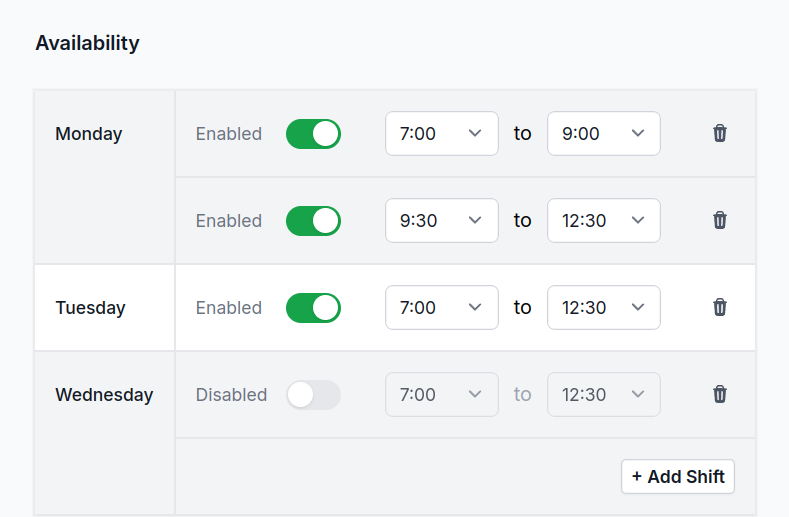
Set work hours for each sales rep (eg: Weekdays 9–5pm). When reps are unavailable, remove them from automatic assignment with one click. RouterJet ensures new leads are fairly distributed across available sales reps in your Close CRM.
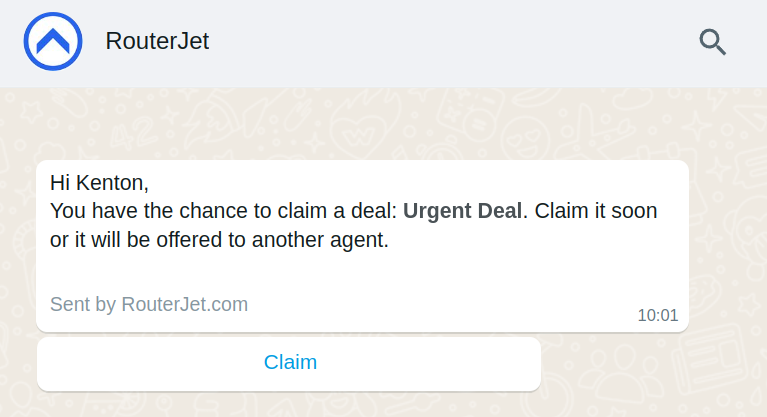
Alerts from Email, WhatsApp, SMS, Telegram or Slack
Speed up follow-ups on new leads with instant notifications. Choose the alert channel that works best for your sales team so reps can respond from anywhere, ensuring no opportunity is missed. Each notification includes a direct link to claim the lead and open it in Close.
Lead Escalation & Re-distribution
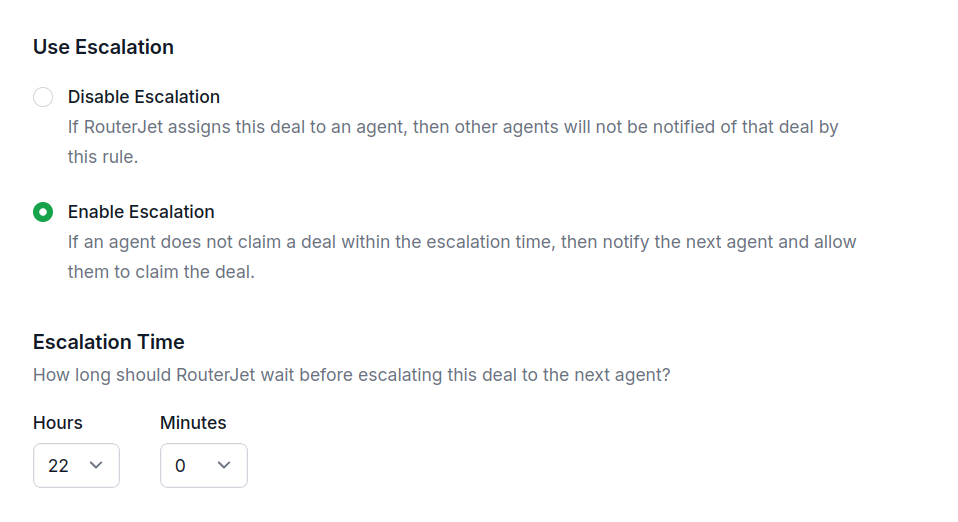
Protect your sales pipeline! When a sales rep doesn't accept a new lead in time, RouterJet automatically escalates it to another available team member for immediate follow-up. Keep leads from going cold—escalation time can be customized to fit your business needs.
Custom Distribution Rules
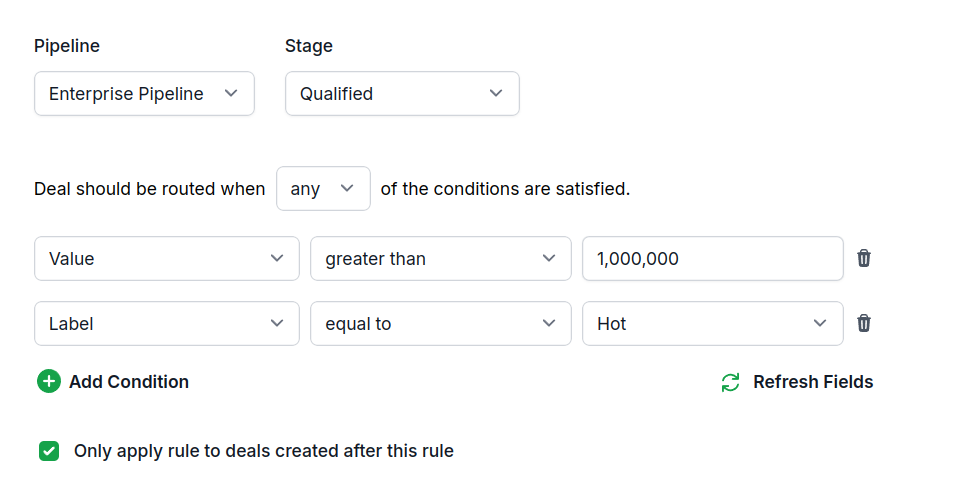
Route new leads to specific sales reps based on lead attributes (eg: location, source, opportunity value). For example, send all leads from California to Mary + John, and leads from New York to Josh.
Lead Distribution Analytics
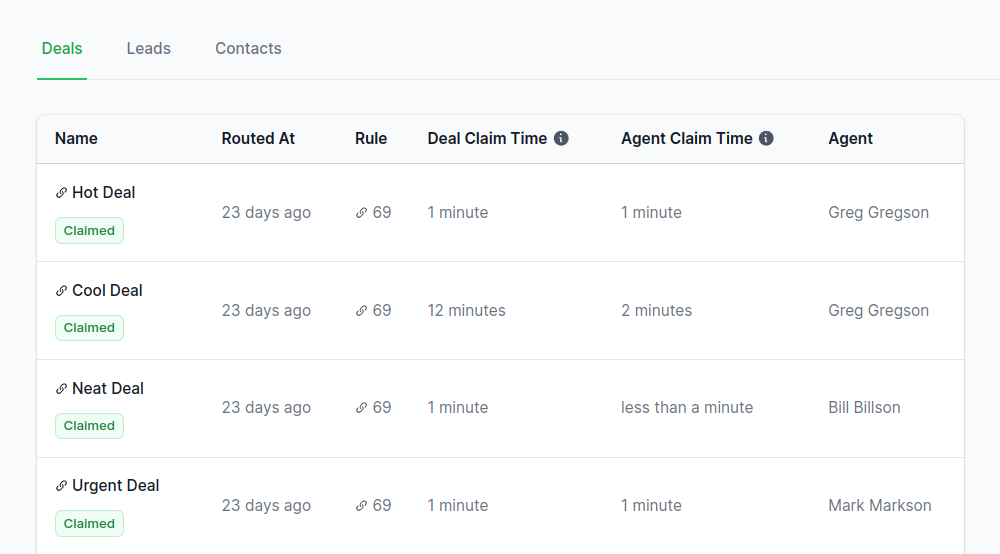
Monitor your sales process efficiency: Track follow-up response times for new leads and see how many leads come in when your sales team is offline. Get daily, weekly, or monthly reports.
Weighted Lead Assignment
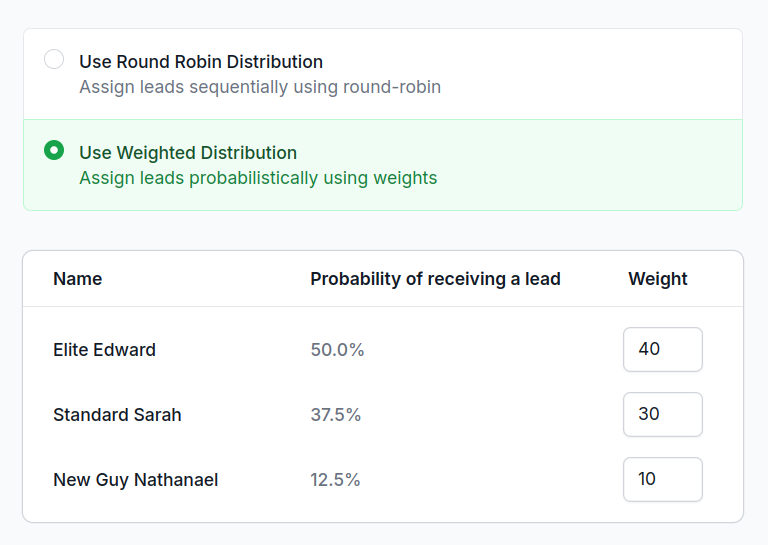
Assign a weight to each sales rep to control pipeline distribution. Higher weighted reps receive more new leads. Reward top performers with more leads or limit new leads to low performers and new employees.
Testimonials
5 star reviews from our customers
“The app is smart and works great, but the difference is the customer support. Support was responsive and thorough, not just some link to an article that didn't answer my question like most support. He took the time to read what I sent and respond with a thoughtful answer. I really appreciate that type of support and am happy to pay for it. Thank you!”

“Love this app! We have lots of inbounds coming in these days and RouterJet helps us a great deal in getting the right lead to the right sales rep based on their availability and timezone! The RouterJet team is super responsive to support requests as well.”

Simple pricing, for everyone.
We pride ourself on fair, transparent pricing. No hidden fees, no contracts, no surprises.
Starter
$10/agent each month
$30/month minimum
Get started todayRound Robin Lead Assignment
Alerts via Email, SMS, Slack or Telegram
Escalation after 30+ minutes
Agent Scheduling
Monthly Reports
Business
$20/agent each month
$60/month minimum
Get started todayAll Starter features
Alerts via WhatsApp and standard channels
Escalation after 1+ minutes
Weighted Assignment
Daily, Weekly or Monthly Reports
Unlimited Rules
Nested condition groups
Frequently asked questions
How does round robin lead distribution work?
RouterJet automatically assigns incoming leads to your sales reps in rotation. Each rep gets one lead before cycling to the next—so everyone on your team gets a fair shot. No cherry-picking, no arguments about who got the "good" leads.
What does RouterJet route in Close?
New leads. RouterJet watches your Close account for new leads and assigns each one to the right rep based on your routing rules.
What happens to leads that come in outside business hours?
They're assigned to whoever's scheduled to work next and tagged as "Offline". You can also turn off notifications for off-hours leads, so nobody gets pinged at 2 AM.
How does escalation work if an agent doesn't respond?
If a rep doesn't claim a lead within your set time (you can go as low as 1 minute), it automatically moves to the next available rep. No leads slip through the cracks.
Can I give some agents more leads than others?
Yes. Set custom percentages for each rep—like 60% to your veterans, 40% to new hires. Great for ramping up new team members or sending more volume to your best closers.
How do agents get notified about new leads?
Email, SMS, WhatsApp, Telegram, or Slack. Each notification includes a direct link to claim the lead and open it in Close.
How long does it take for leads to be assigned?
Under 10 seconds. RouterJet processes leads in real-time as soon as they enter Close.
Do I need technical setup or webhooks?
No. Sign in with Close, create a rule, and you're live—no webhooks, no API keys, no IT department required. RouterJet handles the technical stuff.