How to Reorder Rules and Set Priority in RouterJet
When a new deal, lead, or person arrives from Pipedrive, RouterJet checks your rules top-to-bottom. As soon as one rule’s conditions match, that rule assigns the owner and RouterJet stops evaluating. Rules lower in the list never run for that entity. This means rule order is your priority system. Put your most specific, highest-priority rules at the top and your broadest catch-all rules at the bottom.
How to Reorder Rules
1) Drag a Rule to a New Position
Go to Rules. Grab the drag handle on the left side of any rule and drag it to a new position. The change saves automatically.
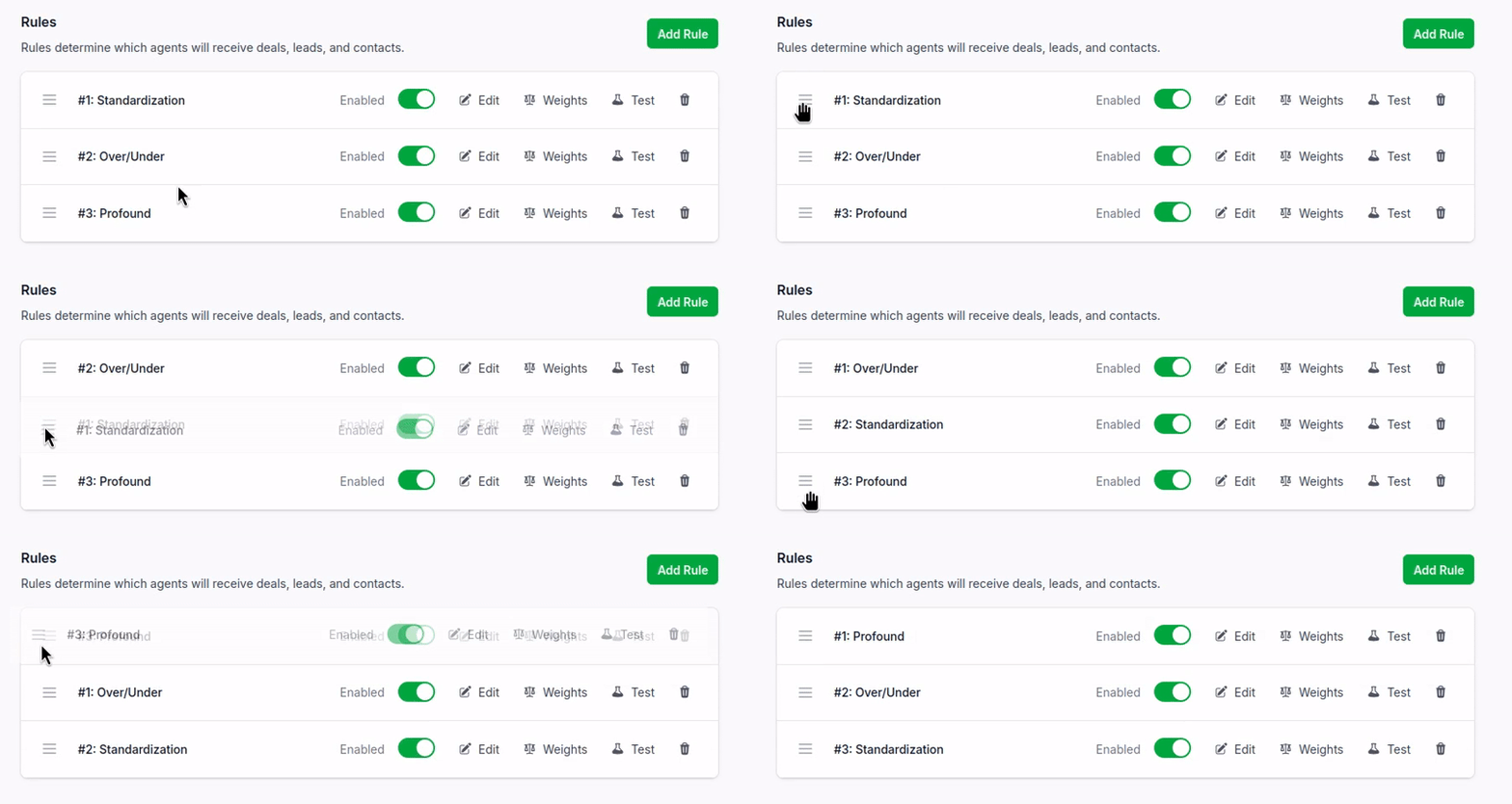
2) Verify the New Order
After dragging, your rules list reflects the new evaluation order immediately. You can use the Inspector to confirm that a specific deal or lead now matches the rule you expect.
⚠️ When Rule Order Matters Most
Rule order matters whenever two or more rules could match the same entity. Consider this example:
- Rule 1: Deals worth over $50,000 → assign to your enterprise team
- Rule 2: All deals in the Sales pipeline → round-robin across the full sales team
A $75,000 deal in the Sales pipeline matches both rules. If Rule 1 is higher, it goes to your enterprise team. If Rule 2 is higher, it gets round-robined to anyone on the sales team, and the enterprise rule never fires.
The fix is simple: put the more specific rule (enterprise deals) above the broader rule (all Sales pipeline deals).
What About “Match Multiple Rules”?
By default, RouterJet uses single-match mode: first match wins. If you’ve enabled “Match Multiple Rules” in your account settings, entities can match more than one rule. Even in this mode, rule order still matters: when two matching rules would assign different owners, the higher-priority rule wins.
Regardless of mode, each rule can only match a given entity once. If the same lead or deal is updated and re-evaluated, a rule that already matched it won’t fire again.
💡 Tips
- Specific rules go on top, broad rules go on the bottom. Your narrowest conditions should evaluate first so they aren’t swallowed by a catch-all.
- If a rule never seems to fire, check what’s above it. A higher-priority rule with overlapping conditions will match first. Use the Inspector to see which rule actually matched and test again after reordering.

Start your free trial
No credit card required.
Assign leads automatically and free up your time.